Do You Need a VPN for Cloud Gaming in 2026? What It Fixes (and What It Can’t) on GeForce NOW and Xbox Cloud
Affiliate Disclosure: This article contains affiliate links. If you sign up for a VPN through one of them, Hot Game Review may earn a commission at no extra cost to you. Our recommendations are based on published test data, not on who pays us. How we test and rank.
For most cloud gamers, the answer is no: a VPN usually makes cloud gaming worse, not better. Cloud gaming already adds 60 to 70 milliseconds of stream latency on top of your normal ping, and a VPN adds another hop in the middle. Only players with a specific problem benefit — an ISP that throttles game traffic, a connection targeted by DDoS attacks, or an unsecured public network. Everyone else is paying to add lag to a service already fighting lag.
That question matters more in November 2026 than it did a year ago. Xbox Cloud Gaming has just moved from unlimited streaming to monthly hour caps — 15 hours on Game Pass Ultimate, 10 on Premium, and 5 on Essential — while GeForce NOW’s paid tiers have carried a 100-hour monthly cap all year. So it is worth separating what a VPN fixes from what it only claims to fix.
Contents
- 1 The short answer: who actually needs a VPN for cloud gaming?
- 2 What changed in November 2026: cloud gaming is now metered
- 3 What a VPN actually fixes for cloud gaming
- 4 What a VPN can’t fix (no matter what the ads say)
- 5 How to set up a VPN for cloud gaming
- 6 Which VPN should you use for cloud gaming?
- 7 The verdict: skip it unless you have a specific problem
- 8 FAQ
The short answer: who actually needs a VPN for cloud gaming?
Three kinds of players need one. First, players whose ISP throttles streaming traffic at peak hours — if the stream stutters every evening at 8 p.m. while everything else works, a VPN can route around it. Second, competitive players targeted by DDoS attacks, where hiding your real IP is the whole point. Third, anyone streaming on public or shared Wi-Fi, where encryption is the protection, not speed.
If none of those describes you, skip it. On a healthy home connection, a VPN is an extra hop between you and a server farm that is already doing all the heavy work. The math is friendlier for downloaded games — see our best VPNs for gaming ranking — but cloud gaming is a different workload, and the verdict is different.
What changed in November 2026: cloud gaming is now metered
Cloud gaming used to be sold as “play anywhere, as much as you want.” That era ended in November 2026: Microsoft announced on September 3 that Xbox Cloud Gaming would move to monthly allowances of 15 hours on Game Pass Ultimate ($22.99 a month), 10 on Premium ($14.99), and 5 on Essential ($9.99). Unused hours do not roll over; once the allowance is gone you buy extra hours — $3.99 for 10 hours, $7.99 for 25, $11.99 for 50 at introductory pricing. Microsoft expects the change to affect about 4% of subscribers.
GeForce NOW has been metered longer: Performance ($9.99 a month) and Ultimate ($19.99) each include 100 hours a month, with up to 15 unused hours rolling over. Extra time comes in 15-hour blocks at $2.99 on Performance and $5.99 on Ultimate, and sessions are capped at 6 hours on Performance and 8 on Ultimate.
The gap is stark: 100 hours on GeForce NOW against 15 hours on Game Pass Ultimate. At 30 minutes a night, the Ultimate allowance lasts the month; at two hours a night, it runs out in a week. The timing is awkward, too — Grand Theft Auto VI launches on November 19, 2026, and a full monthly reset will not complete before launch day, so anyone planning to stream GTA VI on Xbox Cloud Gaming at launch is starting the month already short on hours.
None of this is a VPN problem. A VPN cannot add hours to either allowance, cannot make unused hours roll over, and cannot make a capped plan unlimited again.
What a VPN actually fixes for cloud gaming
A VPN does three real things for a cloud gamer — the ads usually name five or six, and half of them are fiction.
1. It can route around ISP throttling. Some ISPs slow video-streaming traffic at peak hours, and a cloud game stream looks exactly like video traffic to their filters. When the VPN encrypts your traffic, the ISP can no longer tell it is a game stream. This is the most common legitimate reason to use a VPN with GeForce NOW or Xbox Cloud Gaming — and the easiest to test: smooth at noon, stuttering at 8 p.m. every day means throttling is likely, and a VPN is worth a one-month trial.
2. It hides your real IP address from other players. In competitive multiplayer, a targeted DDoS attack floods your home connection until the game drops. A VPN puts the provider’s server between you and the attacker, so the attack hits a data center built to absorb it instead of your router. This matters most for ranked and tournament players.
3. It encrypts your connection on public Wi-Fi. Streaming a game from a hotel, campus, or airport network means your traffic crosses a network you do not control. A VPN encrypts it. This is a privacy benefit, not a performance one — it will not make the stream faster. But it is the one case where a VPN is worth running even when everything else works fine.
The cost of those three benefits is small when the VPN server is close. VPNAlert’s November 2026 xCloud tests measured 8ms of ping without a VPN and 10ms with NordVPN connected — a 2ms difference on a nearby server. Our site’s standard figure for NordVPN on a nearby server is 4–7ms of added ping.

What a VPN can’t fix (no matter what the ads say)
Here is where most VPN marketing falls apart.
It cannot lower your latency below the stream’s own floor. Gizmodo’s 2026 Xbox VPN tests measured cloud gaming latency of 63 to 72 milliseconds over VPN connections on a European test setup — well above the 20 to 38 milliseconds of raw ping on the same connection. That gap is the stream itself: input travels to a server farm, the game renders there, and video comes back. A VPN adds a hop to that round trip; it can never remove one.
It cannot fix a bad route to the server farm. Cloud gaming quality depends on your distance to the nearest GeForce NOW or Xbox server cluster. If you are far from one, no VPN moves you closer — and a distant VPN server can make the route longer. The fix is a wired Ethernet connection and the closest server region, not a VPN.
It cannot unlock regions or bypass availability limits. Xbox Cloud Gaming is offered in 29 countries, and both services check your account and payment region, not just your IP address. Using a VPN to appear in a country where the service is not offered can breach the service’s terms, and it frequently does not work at all — the service can still refuse the session. We do not recommend it. Our earlier piece on what a VPN actually does for players makes the same point for Modern Warfare 4 lobbies: the benefits in the ads are mostly fiction.
It cannot make a weak connection strong. Cloud gaming needs a stable 25–35 Mbps for 1080p and more for 4K, with low jitter. If your connection drops packets, a VPN cannot recover them. Fix the Wi-Fi first — move closer to the router, use Ethernet, or upgrade the plan — and only then consider a VPN.
How to set up a VPN for cloud gaming
If a VPN is worth it for one of the three real reasons above, the setup depends on your device — there is no VPN app for a cloud stream itself. You protect the device that runs the stream.
On a PC or phone, install the VPN app directly. This is the simplest route: the app encrypts everything, including the GeForce NOW or Xbox Cloud Gaming session in your browser or app. Pick the server city closest to you and use the provider’s fastest protocol (NordLynx for NordVPN, Lightway for ExpressVPN, WireGuard where offered).
On a console or smart TV, use a router or a PC hotspot. Consoles and TVs do not run VPN apps, so the VPN has to live one step up the chain: on the router, or on a PC sharing its connection as a hotspot. Our guide to using a VPN on PS5 and Xbox walks through all three methods, and the Switch 2 VPN setup guide covers the same problem on Nintendo’s handheld, which also has no native VPN app. Smart DNS is not a substitute: it changes apparent location for streaming apps but encrypts nothing, so it gives no privacy or DDoS protection.
One practical tip: test with a one-month plan first. Connect to the nearest server, run a cloud session for an evening, and check the stream stats both services show in their overlays. If the numbers get worse, cancel inside the money-back window and try a different server city before blaming the provider.

Which VPN should you use for cloud gaming?
If you need a VPN for cloud gaming, use the fastest one on a nearby server. VPNAlert’s updated November 2026 xCloud roundup names NordVPN its top pick after months of testing, with 8ms of ping rising to just 10ms on a nearby server, and Gizmodo’s 2026 Xbox tests measured 72ms of cloud gaming latency on NordVPN against 68ms on ExpressVPN and 63ms on Surfshark — all three in the same narrow band, and all three usable. The differences between the top providers are small; the difference between using a nearby server and a distant one is large.
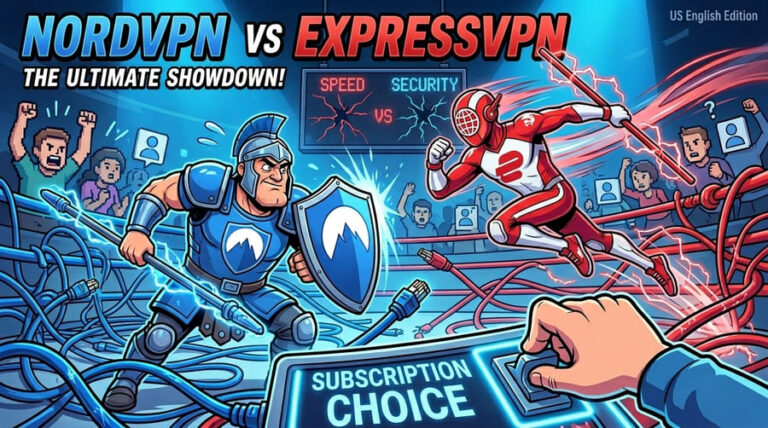
Our pick is NordVPN: 7,100+ servers in 225+ locations, about 4–7ms of added ping on a nearby server, 10 simultaneous devices, and a 30-day money-back guarantee, from around $3.39 a month on a 2-year plan. You can check NordVPN’s current pricing here. For the full head-to-head, our NordVPN vs ExpressVPN comparison breaks down speed, servers, and streaming support.
Two rules decide whether the experience is good or bad. First, always connect to the nearest server city — a VPN server 5,000 km away adds more latency than the VPN itself ever could. Second, use a wired connection for the streaming device; Wi-Fi jitter hurts cloud gaming more than a VPN hop does.
Cloud gaming is the one kind of gaming where a VPN starts the race already behind: the stream itself adds 60–70ms before the VPN adds a single millisecond. Buy a VPN for throttling, DDoS protection, or public Wi-Fi — never for lower ping.
The verdict: skip it unless you have a specific problem
Do you need a VPN for cloud gaming in 2026? For most players, no. The stream’s own latency is already the dominant number, the November 2026 hour caps meter your playtime whether or not you run a VPN, and a VPN cannot add hours, cut stream latency, or move you closer to a server farm. On a healthy home connection, it is a monthly fee for extra lag.
But “most players” is not “all players.” If your ISP throttles game streams every evening, if you play ranked matches where DDoS attacks are a real threat, or if you stream from networks you do not trust, a VPN earns its place — and the right one, on a nearby server, costs only a few milliseconds. Test it for a month — try NordVPN with its 30-day money-back guarantee — watch the stream stats, and let the numbers decide.
FAQ
Does a VPN lower ping in cloud gaming?
No. A VPN adds a hop, so it adds latency — typically 2–7ms on a nearby server. The 63–72ms of cloud gaming latency in Gizmodo’s 2026 Xbox tests comes from the stream itself, and a VPN cannot reduce it.
Can a VPN get me more Xbox Cloud Gaming hours?
No. The November 2026 caps — 15 hours on Ultimate, 10 on Premium, 5 on Essential — are tied to your Game Pass account, not your IP address. A VPN cannot add hours or make unused hours roll over.
Is using a VPN with GeForce NOW or Xbox Cloud Gaming against the rules?
Using a VPN for privacy, throttling, or security is not banned. Using one to access the service where it is not offered can breach the service’s terms and often does not work — account and payment regions are checked too.
Do I need a VPN for cloud gaming on public Wi-Fi?
Yes — this is one of the three legitimate reasons. Public networks are untrusted, and a VPN encrypts your session. Expect a small latency cost, and connect to the nearest server to keep it minimal.
Sources: Xbox Wire announcement (September 3, 2026) via Tech Insider’s hour-limit breakdown; NVIDIA GeForce NOW FAQ via Tech Insider’s 100-hour cap breakdown; VPNAlert’s best VPNs for xCloud (updated November 2026); Gizmodo’s best VPN for Xbox (2026 tests).